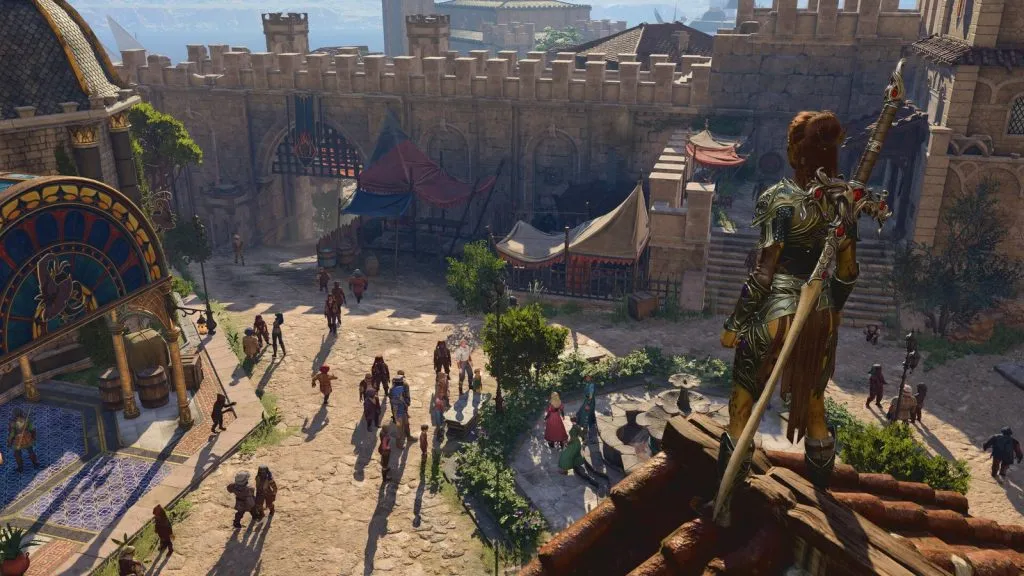
As of November 13, 2026, the latest Baldur’s Gate 3 build is 4.1.1.7631656. Larian released it on September 29, 2026 (1.800.910 on consoles), and it fixed crashes when starting the game through the GOG launcher on Mac. If your BG3 mods stopped working after that build, after Hotfix #36 or after a Script Extender update, the cause is usually an outdated framework, a stale load order or a mix of mod managers. The fixes below are grouped by setup and by symptom.
Key takeaways
- Patch 8 (April 15, 2025) was the last major patch. Every release since then has been a small hotfix or build update.
- Script Extender updates itself and only supports the latest game version. v33 came out on October 12, 2026.
- Older BG3 Mod Manager builds and old modsettings.lsx files can break load orders after Patch 8.
- Use one external manager (BG3MM or Vortex), and don’t enable the same mods through the in-game Mod Manager as well.
- Consoles are capped at 100 active mods and can only use official mods from the in-game Mod Manager.
Fact-checked
We checked these key facts against the sources named, on November 13, 2026:
- Your console version should be 1.800.910 as of November 2026 (source: mp1st.com)
- As of November 2026, v33 (October 12, 2026) supports build 4.1.1.7631656 (source: github.com)
- Larian released it on September 29, 2026 (1.800.910 on consoles), and it fixed crashes when starting the game through the GOG launcher on Mac (source: x.com)
Core frameworks and their status, November 2026
The table below tracks the frameworks that most Nexus Mods content depends on. If any of them is out of date, every mod that needs it fails. Check this table before you start blaming individual mods.
| Framework (author) | Published on | Version to run, as of November 2026 | Works with 4.1.1.7631656 |
|---|---|---|---|
| BG3 Script Extender (Norbyte, bg3se) | GitHub releases, Nexus Mods | v33, released October 12, 2026 (v32 June 21, v31 April 17, 2026) | Yes, it updates itself on launch |
| BG3 Mod Manager (LaughingLeader) | GitHub releases | 1.0.12.9, latest changelog entry (Patch 8 era, 2025) | Yes, if you’re on a GustavX-aware build. Older builds need updating |
| In-game Mod Manager (Larian, mod.io) | Built into the game | Updated with the September 29, 2026 build | Yes |
| Mod Configuration Menu (Volitio) | Nexus Mods | Latest Nexus file. Volitio’s own mods require 1.9.0 or later | Yes on a current file. Outdated copies break the Continue button |
| ImprovedUI / ImpUI (Djmr) | Nexus Mods | The Patch 8 “Slim” build. The original is no longer maintained | Yes with Slim. Pre-Patch 8 builds need replacing |
There’s one thing to know about Script Extender v33. Norbyte said on GitHub that a development build of v33 was accidentally published as the Release version. He described the differences as two fixes found after release and the missing “experimental” warning. A user then opened issue #613 on GitHub because v33 installed itself automatically. That auto-install is how SE is designed to work. If a mod behaves differently since mid-October, check that mod’s page for a note about v33 before you take anything else apart.
The ImpUI situation is the one most likely to catch you out. PC Guide reported that Djmr stopped maintaining the original ImpUI after Patch 8. Caites, whose UI mods depend on ImpUI, recommends the Patch 8 “Slim” version. Caites won’t vouch for the community ImpUI_P8_Fork, which is still in beta. Never run two ImpUI versions at once.
Quick fix: the 5-minute checklist
Most “bg3 mods not working” reports come down to six causes. Check them in order, because each one depends on the one before it. Close the game before every step.
Install steps
- Check whether the game updated: compare your build in the main-menu corner with 4.1.1.7631656.
- Update official mods in the in-game Mod Manager.
- Update BG3 Mod Manager or Vortex to the current release.
- Confirm Script Extender loaded: you should see its version on the main menu.
- Re-export your load order from BG3MM, or redeploy from Vortex.
- Disable all mods, then re-enable them in halves until the fault returns.
The last step is the one that actually finds the broken mod. Say you have 60 mods. Turn on 30 and test. If the game works, the fault is in the other 30. If it doesn’t, split the active half into two groups of 15. Six rounds or fewer will narrow 60 mods down to one.
Modder's note
Right after any hotfix, wait for Script Extender and your key frameworks (MCM, ImpUI) to update before you load a modded save. Starting a new game to test is safe. Saving over your main playthrough while frameworks are mismatched is not.
BG3 modding in November 2026: what changed and why mods break
Mods break much less often now than they did in 2024. That’s because Larian has said major patches and new content are finished, and PC Gamer reported that future updates will be small. Small updates can still break things, though, because Script Extender and some UI mods hook directly into the game executable.
| Date | Update | Version | Mod impact |
|---|---|---|---|
| October 15, 2024 | Hotfix #29 | Console build | Console fixes. Console mod lists are limited to 100 active mods |
| April 15, 2025 | Patch 8 | 4.1.1 series | Toolkit gained partial level editing. Most UI and scripted mods needed updates |
| March 26, 2026 | Hotfix #36 | 4.1.1.7209685 (1.800.801 on consoles) | Fixed corrupted saves, crashes and frame-rate drops. Minimal effect on mods |
| August 3, 2026 | Xbox Play Anywhere update | Unnumbered | Platform-side changes |
| September 29, 2026 | Build update | 4.1.1.7631656 (1.800.910 on consoles) | GOG Mac launcher crash fix. Script Extender kept pace through updates |
Which build am I on?
You can see your build number in the bottom corner of the main menu. Compare it with 4.1.1.7631656. If yours is lower, the store hasn’t finished updating. On Steam, restart the client. In GOG Galaxy, check the game’s update status. A mod page that says “Patch 8 Compatible” covers every hotfix since April 2025 unless its author says otherwise.
Does Script Extender support the current patch?
Yes. New Script Extender versions are built only for the latest game version. SE fetches its own updates when the game starts, so you never download a new DLL by hand. It also won’t run on game versions older than Patch 5. Anyone trying to keep an old game build alongside an old SE build has nothing to fall back on.
Did you know?
Any load order or tool built for an older game version can stop all your mods from loading.
Patch 7 era fixes that no longer apply
Many guides still rank for this keyword, but they were written for Patch 7 (September 2024). Their advice to install ModBrowser or to hand-edit modsettings.lsx is now outdated. The in-game Mod Manager is built in. Following an old guide can recreate the exact breakage you’re trying to fix.
Find your setup first
Each of the four setups keeps its mods and load order in a different place, so each one needs a different fix. Find your row, then go to that section.
| Setup | Where mods live | Load order controlled by | Known conflict | First fix |
|---|---|---|---|---|
| In-game Mod Manager (PC) | mod.io downloads managed by the game | The game itself | Mods also enabled through BG3MM or Vortex | Update all mods in the Mod Manager |
| BG3 Mod Manager + Nexus Mods | %LocalAppData%\Larian Studios\Baldur’s Gate 3\Mods | modsettings.lsx, written by BG3MM | Old BG3MM builds pointing to GustavDev | Update BG3MM manually, re-export the load order |
| Vortex + Nexus Mods | The Mods folder, deployed by Vortex | Vortex writes modsettings.lsx | Purge restores an old modsettings.lsx backup | Close Vortex, clear modsettings files, redeploy |
| PS5 / Xbox Series X|S | Official mods from mod.io only | In-game Mod Manager | 100 active mod cap, PC-only mods on cross-saves | Disable mods from PC, stay under 100 |
Mixing managers causes problems because they all write to the same file. The in-game Mod Manager, BG3MM and Vortex each rewrite modsettings.lsx when they apply changes. Whichever ran last wins, so mods seem to toggle themselves on and off. This is the same reason a multi mod manager setup fails in other games: one source of truth per game.
Modder's note
Pick BG3 Mod Manager or Vortex, not both. If a mod is on mod.io and on Nexus Mods, install it from one place only.
Fix: in-game Mod Manager (PC, official mods)
Official mods are built with the BG3 Modding Toolkit and delivered through mod.io. They break less often than third-party mods, and you fix them with the game’s own tools. Open Mod Manager from the main menu and update everything there first.
- Use the update option in Mod Manager and let every download finish before you load a save.
- Check each mod’s page for the “Patch 8 Compatible” tag, which Larian added so players can check compatibility.
- To test, untick everything and load a save. Then re-enable mods in halves, as in the checklist.
- If one official mod fails on its own, report it to its author on mod.io. If the game crashes with no mods enabled, that’s a game bug, and it goes to Larian’s support.
Since Patch 7, Larian’s official advice has been to keep your saves and simply re-enable mods after an update. The exception is if you’ve also installed Nexus mods by hand, which moves you to the next section.
Fix: BG3 Mod Manager mods not showing up, not loading or turning off
Most BG3MM problems come from running an outdated copy. Download the latest release from LaughingLeader’s GitHub page, extract it to a normal folder outside Program Files (it’s portable and doesn’t need installing), and run it from there. If the built-in updater fails, update by hand. During the Patch 8 rollout the auto-updater was down. Steam forum users with ghost mods and mods turning off on relaunch were told to install 1.0.12.2 manually, and later releases fixed more Patch 8 issues.
After updating:
- Refresh BG3MM so it picks up the GustavX base module. It should list GustavX at the top of the load order as the campaign. GustavDev should not appear there.
- Arrange your active mods with frameworks first (for example ImpUI, MCM), then the mods that depend on them.
- Use Export Order to Game. BG3MM writes modsettings.lsx. A “Save” alone doesn’t export anything.
- Launch the game and check that Mod Manager in the main menu doesn’t report missing or disabled mods.
Mods show as active in BG3MM but disabled in game
If the game says your mods are disabled but BG3MM shows them as enabled, the game rewrote modsettings.lsx after you exported. That happens with an old BG3MM build. The changelog notes a workaround for a Patch 8 Hotfix 1 bug where an extra folder made the game deactivate mods enabled externally. It also happens when the in-game Mod Manager has its own conflicting selection. Update BG3MM, then untick the same mods in the in-game manager, then re-export.
Mods disappear after launch, or BG3MM shows ghost mods
The complaint “Game keeps deactivating my mods every time I relaunch” usually comes from the same old-build issue. Ghost mods, entries with no files behind them, are usually left over in modsettings.lsx from removed paks. Remove them from the active list, delete leftover paks you no longer use from the Mods folder, and export again. If the problem started right after Patch 8, check that BG3MM’s IgnoredMods.json is current. Newer builds add the Patch 8 base modules to it automatically.
BG3MM can also import a load order from a save file. That helps when a save says it “contains missing mods” even though every mod appears installed. The usual cause is that the save expects a different version or UUID of the same mod.
Fix: Vortex users
Vortex’s purge can bring back an old modsettings.lsx, and that can stop BG3 from booting at all. Nexus Mods forum users reported this after Patch 8. It’s the usual explanation for “failed to load the main menu” errors when Vortex users enable almost any mod.
The reported fix:
- Close Vortex completely.
- Delete modsettings.lsx and its backup copy in %LocalAppData%\Larian Studios\Baldur’s Gate 3\PlayerProfiles\Public.
- Launch BG3 once and reach the main menu, so the game writes a fresh GustavX-based file.
- Close the game, open Vortex and deploy again.
Make sure you edit the right folder. The live PlayerProfiles\Public is under %LocalAppData%. Older installs also have a Documents\Larian Studios\Baldur’s Gate 3 tree with a similarly named folder. Editing that copy does nothing, and if the game can’t find a local AppData profile it copies the Documents one over, old mod list included.
Fix: Script Extender and MCM mods
Script Extender mods fail when SE isn’t loading. Check three things:
- DWrite.dll must be in the game’s bin folder (…\Baldurs Gate 3\bin), next to the game executable. That applies whether you launch with Vulkan or DX11.
- The main menu should show the Script Extender version once it loads. If it doesn’t, an antivirus may have quarantined DWrite.dll, or the game started before SE finished updating.
- The version should be v33 as of November 2026. SE handles this on launch. If it can’t reach GitHub, it keeps the old version.
Mod Configuration Menu needs separate attention. An outdated MCM is the reported cause of the Continue button doing nothing after Patch 8. Update MCM from Nexus Mods and check that every mod using it meets its minimum version. Volitio’s mods, for example, need MCM 1.9.0 or later. If MCM still won’t open, Volitio asks for Script Extender logs with MCM’s debug level raised in its config file. That’s also the evidence you should attach to any bug report.
Symptom, cause, fix
Find your symptom in the left column. The Patch 8 rows come from community troubleshooting on r/BG3mods, so treat them as the most likely cause, not a certainty.
| Symptom | Likely cause | Fix | Applies to |
|---|---|---|---|
| Crash on launch | Old modsettings.lsx, often restored by a Vortex purge | Delete modsettings.lsx, launch clean, re-export or redeploy | BG3MM, Vortex |
| “Failed to load the main menu” | Stale modsettings.lsx pointing to an old base module | Same as above, then confirm GustavX | Vortex, BG3MM |
| Save stuck at 75% | Osiris-scripted mod built for an older patch | Disable scripted mods, update them, reload | All PC |
| Everything says “Not Found” | A loose English.loca file overriding the game’s text | Remove the loose localization file from Data | Manual installs |
| Spellbook shows two columns | Outdated ImpUI | Switch to the Patch 8 Slim ImpUI and update dependent UI mods | PC UI mods |
| Continue button does nothing | Outdated Mod Configuration Menu | Update MCM and Script Extender | SE users |
| Subclasses missing | Feat or class mod conflict, or an old version | Update feat mods, check their load order | All PC |
| Naked characters or missing armour | An armour or body mod missing its required base mod | Install the listed requirement, or disable the mod | All PC |
| Missing face textures | Head or face mod out of date or missing a dependency | Update or remove the face mod | All PC |
| Launcher “data mismatch” warning | Files changed in the install folder | Read alteredFiles.txt, verify game files | Steam, GOG |
| Mods turn off on relaunch | Old BG3MM, or two managers fighting | Update BG3MM, use one manager | BG3MM, Vortex |
| “Missing or disabled mod” on console | Over 100 mods, or PC-only mods on a cross-save | Disable mods from PC, stay under 100 | PS5, Xbox |
Clean reinstall of mods without losing saves
A clean reinstall removes every trace of old mods and leaves your saves where they are. Larian’s support FAQ recommends doing this after major updates. Back up first.
Before you install
Copy the whole PlayerProfiles folder somewhere safe before deleting anything. If you lose modsettings.lsx, you lose your load order. If you lose Savegames, you lose your playthrough.
| File/folder | Path | What it does | Safe to delete? |
|---|---|---|---|
| Data\Mods | …\Baldurs Gate 3\Data\Mods | Old-style manual mod installs | Yes, Larian recommends it after major updates |
| Data\Public | …\Baldurs Gate 3\Data\Public | Loose-file overrides | Yes |
| Mods | %LocalAppData%\Larian Studios\Baldur’s Gate 3\Mods | Your .pak mods | Yes, after noting your mod list |
| modsettings.lsx | …\PlayerProfiles\Public\modsettings.lsx | Active mods and load order | Yes, the game rebuilds it |
| Savegames | …\PlayerProfiles\Public\Savegames\Story | Your saves | No |
| alteredFiles.txt | %LocalAppData%\Larian Studios\Launcher\Cache\steam_ |
Lists files the launcher flagged as changed | Read it. Deleting it fixes nothing |
| DWrite.dll | …\Baldurs Gate 3\bin | Loads Script Extender | Only to remove SE |
Modder's note
Paste %LocalAppData%\Larian Studios\Baldur’s Gate 3 into the File Explorer address bar to jump straight to your Mods folder, profiles and saves.
After you’ve cleared everything, verify the game files. On Steam, right-click Baldur’s Gate 3, choose Properties, then Installed Files, then Verify integrity of game files. In GOG Galaxy, use Manage installation, then Verify / Repair. Launch once without mods, then add your mods back, frameworks first.
Did you know?
According to Larian’s support FAQ, if BG3 can’t find a profile folder in local AppData but finds one in Documents, it copies it over, and old mods can come back with it.
BG3 mods not working on PS5 and Xbox
Consoles only run official mods from the in-game Mod Manager and have a hard cap of 100 active mods. Larian’s Patch 8 announcement says the 100-mod limit applies to console mod lists. Larian said turning off mods on the PC side can restore access to cross-saves.
If PS5 or Xbox Series X|S shows “Missing or disabled mod”:
- Count your active mods in Mod Manager and get under 100.
- Update every mod. Your console version should be 1.800.910 as of November 2026.
- For a cross-save started on PC, load it on PC, disable the PC-only mods (Nexus content can’t run on console), save, and let cross-save sync.
- If a mod was removed from mod.io, load the save anyway only if it was cosmetic. Otherwise go back to an earlier save made without it.
Multiplayer mod mismatches
Co-op needs every player to run the same mods at the same versions. Patch 8 made crossplay with mods possible, but only on that condition. One player on an older version of a single mod can block the session.
To sync a party, the host shares their exact mod list with versions. Everyone updates from the same source (mod.io or Nexus Mods), and nobody adds personal UI-only extras without checking with the group. Script Extender mods also need SE on every PC in the party. Console players can only join with mods that exist on mod.io.
Saves that require missing mods
When a save lists mods you’ve removed, you have three options, from safest to riskiest:
- Reinstall the exact mod version. Mod authors on Nexus Mods often keep old files available. This is the only option with no risk.
- Roll back to an earlier save made before you installed the mod. You lose progress, but the save stays stable.
- Load anyway. Cosmetic mods (hair, dyes, UI) usually leave nothing harmful behind. Class, spell and Osiris-scripted mods can leave broken characters or quest flags, and the damage may not show for hours.
Bug reports for saves loaded without their mods won’t get support from Larian or the mod author, so keep a backup of the original save.
Prevent breakage before the next hotfix
You can’t stop BG3 from updating on Steam. “Only update this game when I launch it” in Properties, then Updates, only delays it. Steam gives you an older build only if Larian publishes one under Properties, then Betas, and a missing branch means there is no official rollback. GOG Galaxy allows you to turn off auto-updates per game, which gives you more control.
A routine that prevents most breakage:
- Back up modsettings.lsx and the Savegames folder before every update or change to your mod list.
- Keep a plain-text list of every mod with its version and source.
- After an update, launch once without mods. Then wait for Script Extender, MCM and ImpUI to update before you load your main save.
- Keep one BG3MM profile per game version so you can see what changed.
The same habits help in any modded game. Cyberpunk 2077 mods not working after a patch is the same problem, solved the same way, frameworks first.
Modder's note
Before a hotfix lands, export your BG3MM load order to a file. Re-importing it takes seconds, while rebuilding 80 mods from memory takes an evening.
FAQ
Why are my BG3 mods not working?
Usually it’s an outdated framework (Script Extender, MCM, ImpUI), an old BG3 Mod Manager that still expects GustavDev, or two managers overwriting modsettings.lsx. Update frameworks first, then re-export your load order.
How do I get BG3 mods to work?
Use the in-game Mod Manager for official mods. Use one external manager, BG3MM or Vortex, for Nexus Mods content. Install Script Extender when a mod needs it, put frameworks first in the load order, and export before you launch.
Why does BG3 keep disabling my mods?
The game rewrites modsettings.lsx when it detects a conflict or a missing dependency. Old BG3MM builds made this worse after Patch 8. Update BG3MM, untick the same mods in the in-game Mod Manager, and export again.
Why are my mods not showing up in BG3 Mod Manager?
The .pak files aren’t in %LocalAppData%\Larian Studios\Baldur’s Gate 3\Mods, BG3MM is inside Program Files, or the build is too old to read Patch 8 metadata. Move BG3MM to its own folder, update it and refresh.
Does Script Extender work with the latest BG3 patch?
Yes. As of November 2026, v33 (October 12, 2026) supports build 4.1.1.7631656. SE only supports the latest game version and updates itself on launch.
How do I fix “missing or disabled mod” on PS5?
Stay under 100 active mods, update everything in Mod Manager, and for cross-saves disable PC-only mods on PC first. Then load the synced save on PS5.
Can I load a save that requires mods I removed?
Yes, the game lets you continue, but anything the mod added may break. Reinstalling the exact version is safer. Cosmetic mods are lower risk than class or scripted mods.
Do mods disable achievements in BG3?
Larian ties achievements to unmodded play. Since Patch 7, having mods active turns them off. To earn achievements, disable all mods in Mod Manager and play a save started without them.
Is BG3 Mod Manager still needed after Patch 8?
Only for third-party mods from Nexus Mods. Official mod.io mods run entirely through the in-game Mod Manager, which is also the only option on consoles.
Why does my game get stuck loading with mods?
A load that stops at about 75% usually points to an Osiris-scripted mod built for an older patch. Disable scripted mods, update them and reload. If that doesn’t help, re-enable mods in halves until the hang comes back, and the last half you turned on contains the problem mod.
What changed
- Nov 13, 2026 First published.
About the article
- Fact-checked by Hollis Tremaine against the sources listed below before publication.
- Published
Sources (8)
- Patch notes – bg3.wiki (bg3.wiki)
- Baldur's Gate 3 Update 1.800.910 Drops on September 29 (mp1st.com)
- Baldur's Gate 3 gets a new hotfix to fix the old hotfix (PC Gamer) (pcgamer.com)
- Release Script Extender (2026 Oct 12) · Norbyte/bg3se (github.com)
- Script Extender v33 Is Being Installed Automatically · Issue #613 (github.com)
- Baldur's Gate 3 Script Extender (BG3SE) at Nexus Mods (nexusmods.com)
- Norbyte/bg3se v32 release (newreleases.io)
- Norbyte/bg3se v31 release (newreleases.io)