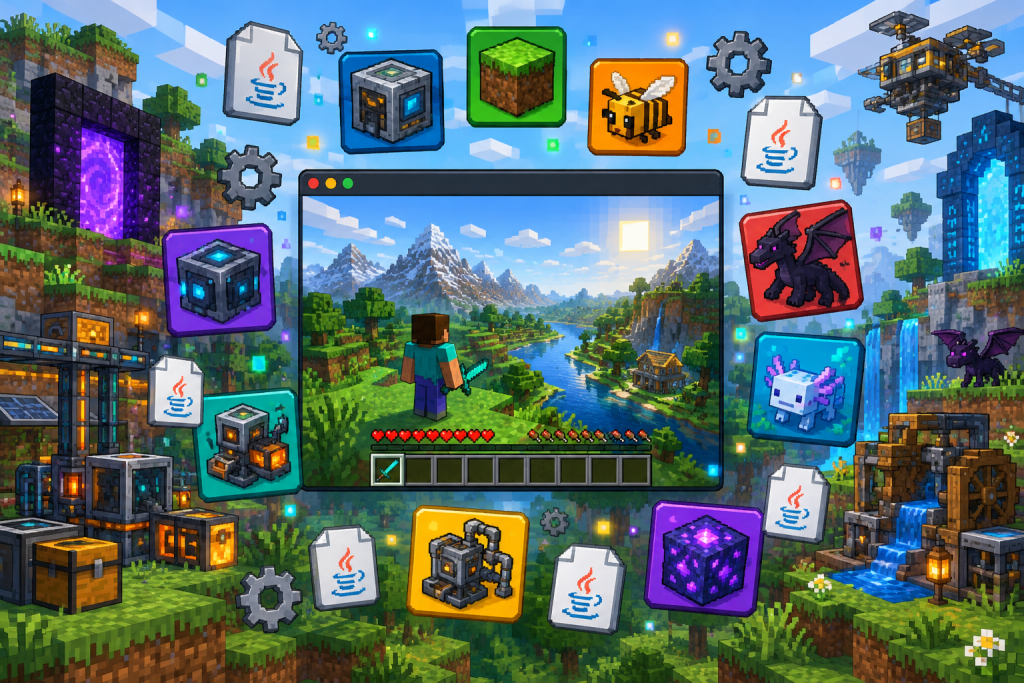
Minecraft mods are community-made files that change or extend the game, from performance fixes to entire new tech trees, and they run on the Java Edition for PC through a mod loader such as Fabric or NeoForge. Bedrock players get a separate, more limited system called add-ons. This guide explains how Minecraft modding works, which loader to pick, and how to install your first mod without breaking a world.
What Minecraft mods actually are
A Minecraft mod is a .jar file that a loader injects into the game at startup. It can add blocks, mobs, dimensions and machines, or it can work silently in the background to raise frame rates and fix vanilla bugs. Because mods hook into the game’s code, each one is built for a specific Minecraft version and a specific loader. A mod made for Fabric on one version will not run on NeoForge or on a different release.
That version lock is the single most important rule in Minecraft modding. Most of the crashes new players report come from mismatched versions or loaders.
Java Edition vs Bedrock
Full mods for Minecraft exist only on Java Edition, which runs on Windows, macOS and Linux. If you play on console, phone or the Bedrock version for Windows, your options are add-ons (behavior and resource packs) and paid content from the official Minecraft Marketplace. Add-ons can reskin mobs or tweak their behavior, but they cannot match the depth of Java mods like Create or Applied Energistics 2.
Mod loaders: the foundation
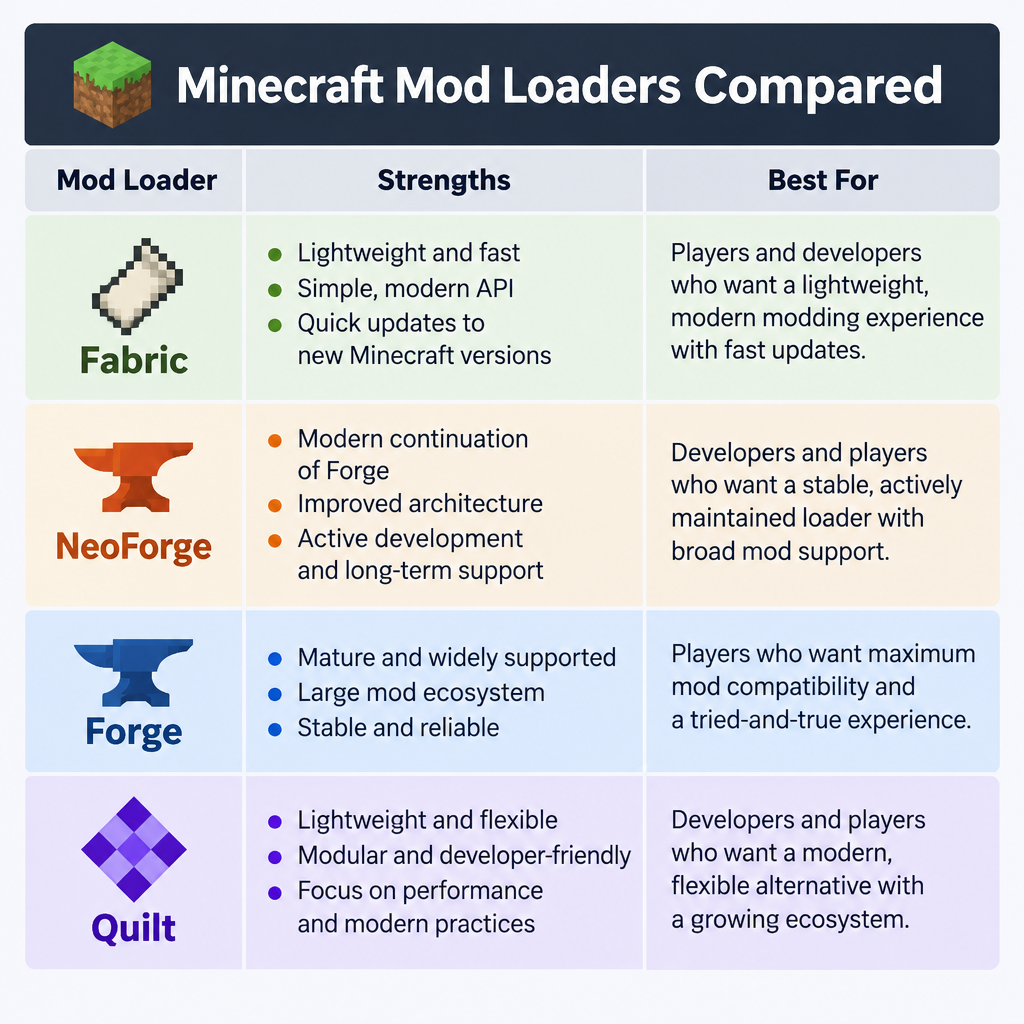
| Loader | Strengths | Notes |
|---|---|---|
| Fabric | Lightweight, updates fast after patches | Most mods also need Fabric API |
| NeoForge | Home of large content mods | Community fork of Forge, launched 2023 |
| Forge | Huge legacy catalogue | Best for older versions and classic packs |
| Quilt | Fabric fork | Runs most Fabric mods |
Pick your loader based on the mods you want, not the other way around. Performance and small quality-of-life mods lean Fabric; big tech and magic mods have historically lived on Forge and now increasingly on NeoForge.
Where to download mods safely
Stick to Modrinth and CurseForge, the two platforms where most authors publish. Reupload sites often bundle outdated files or worse. In 2023 the fractureiser malware spread mainly through CurseForge and BukkitDev, using compromised developer accounts to inject malicious code into mods; CurseForge tightened its scanning afterward, while Modrinth’s existing human review had already blocked the same files. That incident is a good reason to avoid random mirrors entirely.
Before you install
Back up your saves folder. Removing a content mod later can delete its blocks and items from your world permanently.
How to install your first mod
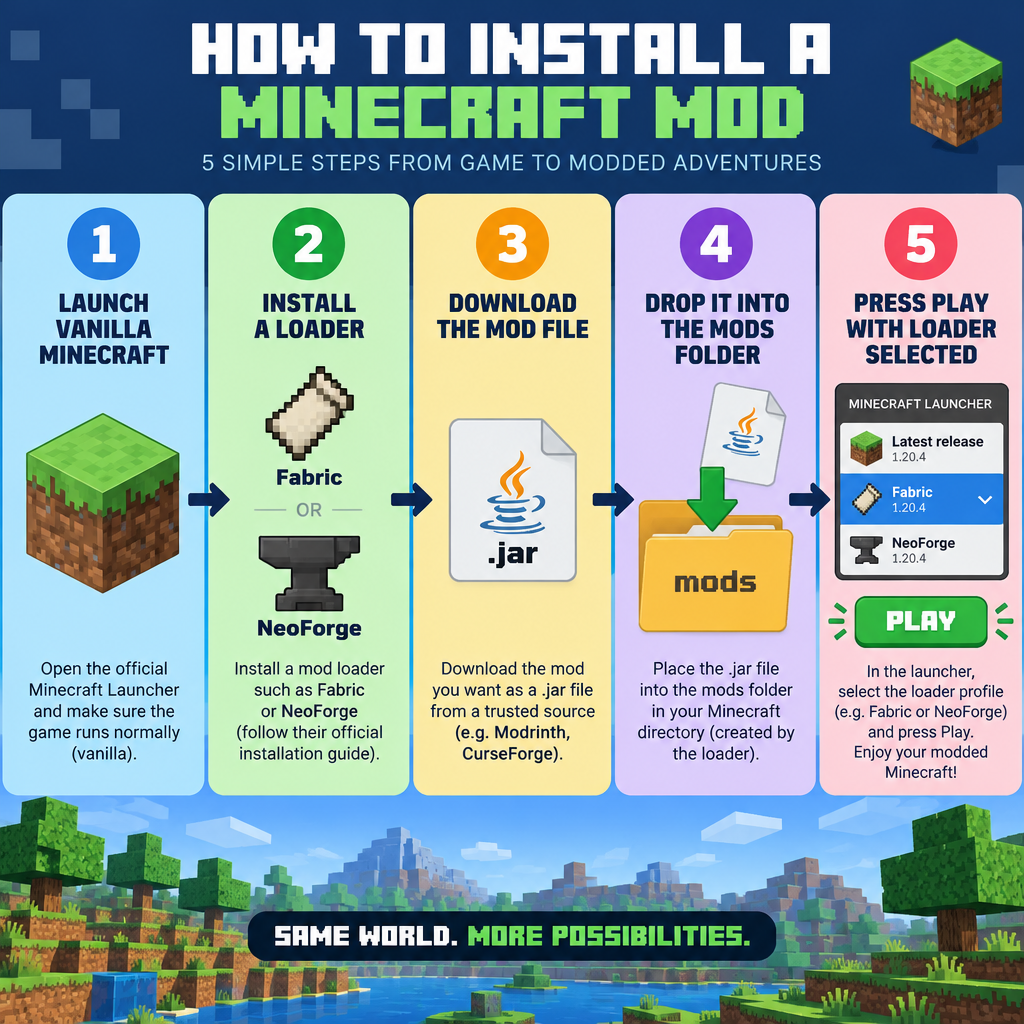
Install steps
- Launch vanilla Java Edition once on your target version.
- Install your loader using its official installer or a launcher.
- Download mods that match your version and loader.
- Drop the .jar files into the mods folder.
- Select the loader profile and press Play.
On Windows, the mods folder sits inside .minecraft in your AppData Roaming directory. Create it if it doesn’t exist after the first loader launch.
The easier route uses a launcher. The CurseForge app and the Modrinth App create separate instances, install the loader for you, and pull in required dependencies automatically. Prism Launcher, a free open-source option, does the same with more control over each instance.
Modder's note
Read the “Dependencies” section on every mod page. Missing libraries like Fabric API, Architectury or Cloth Config cause more failed launches than real conflicts do.
Good first mods
- Sodium (CaffeineMC, Fabric/NeoForge): large frame-rate gains, rendering rewrite.
- Iris Shaders (Iris team): shader support that pairs with Sodium.
- JEI (mezz): searchable recipe viewer, essential with content mods.
- Create (simibubi): mechanical contraptions and automation.
Sodium and OptiFine don’t mix. Choose one; most modders now run Sodium with Iris.
Modpacks: mods without the setup
A modpack is a curated bundle of mods, configs and sometimes quests, tested to run together. Packs like All the Mods, Fabulously Optimized and RLCraft install in one click through the CurseForge app or Modrinth App. For new players, a modpack is the safest way to try heavy modding before you build your own load list.
Quick troubleshooting
| Problem | Likely cause |
|---|---|
| Game closes on launch | Wrong Minecraft version or loader |
| “Missing dependency” error | Required library mod not installed |
| Low FPS | Too many mods, too little RAM allocated |
| Mod doesn’t appear | Launched vanilla profile instead of loader |
If you also mod other PC games, our “multi mod manager” roundup covers tools that handle several titles at once.
FAQ
Are Minecraft mods free?
Nearly all Java mods on Modrinth and CurseForge are free. Bedrock Marketplace content is paid.
Can you use mods on Minecraft PC without a launcher?
Yes. Install the loader manually and place mod files in the mods folder, though a launcher handles versions and dependencies for you.
Can mods get you banned?
Client mods are fine in single-player. On servers, follow each server’s rules; many ban cheat-style clients.
Do mods work after a Minecraft update?
Usually not right away. Wait for authors to release updated files before upgrading a modded instance.