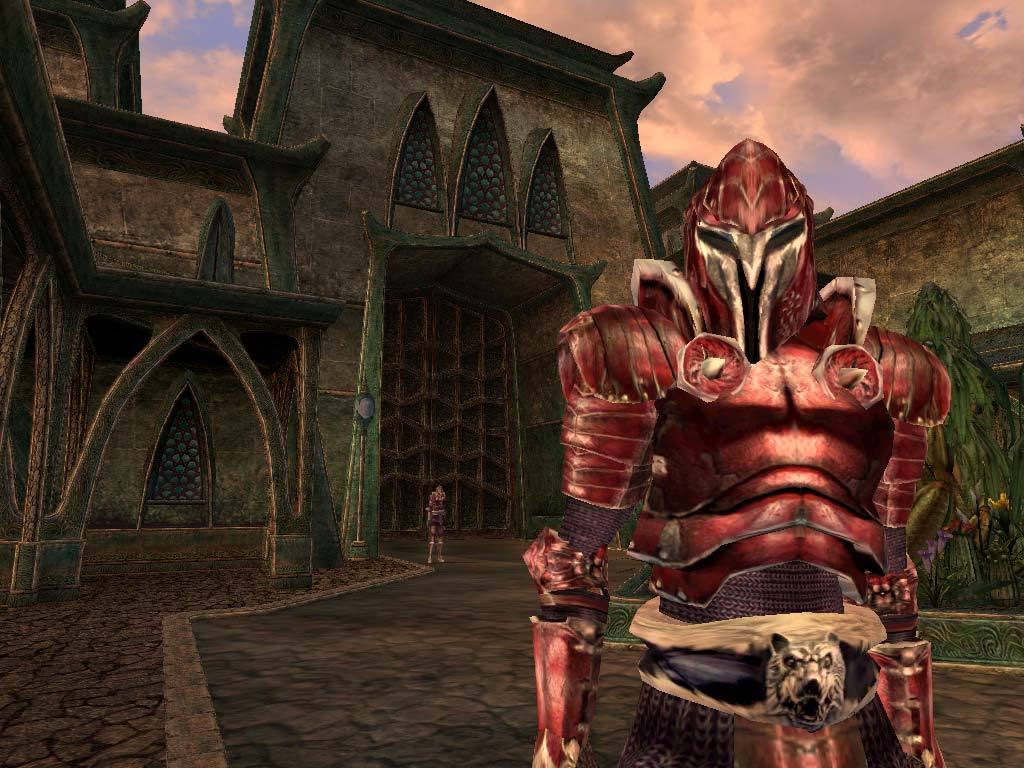
This address once hosted the Morrowind cheats page of the Unofficial Elder Scrolls Pages (UESP), which is still running today at uesp.net. More than twenty years after release, The Elder Scrolls III: Morrowind still ships with its developer console on PC, and nearly every command fans traded in 2002 still works. This page covers how to use it on the current Steam and GOG editions and in OpenMW, plus what changed about the old Xbox tricks.
Mod notes
- On PC you open the console with the key left of “1”, type a command and press Enter.
- Most stat and item commands need the
player->prefix. Toggles liketgmandtcldon’t. - OpenMW 0.51.0, the current stable release, accepts the classic console commands and adds a Lua console.
- The original Xbox version has no console and is still playable through backward compatibility on Xbox One and Series X|S.
- The famous exploits (Corprus, Sunder/Keening switching, bound items) belong to the game’s history. The console is the clean way to get the same results.
Where to play Morrowind today, and which versions have a console
The PC Game of the Year Edition on Steam or GOG has the full console. It includes Tribunal and Bloodmoon and is patched to version 1.6.1820. The original Xbox release has no console at all. OpenMW, the open-source engine rewrite, runs your PC game data and has a console of its own.
| Version | Where to get it | Console | Notes |
|---|---|---|---|
| Morrowind GOTY (PC) | Steam, GOG | Yes | $14.99 list price on Steam. GOG has a similar list price and frequent sales. GOG lists Windows 10 and 11, with no activation needed |
| OpenMW 0.51.0 | openmw.org (free; you need the game files) | Yes, plus Lua modes | Stable release from 19 June 2026. Version 0.52.0 entered release-candidate testing on 2 November 2026 |
| Morrowind GOTY (original Xbox) | Disc, backward compatible | No | Plays on Xbox 360, Xbox One and Series X|S, according to UESP |
| Tamriel Rebuilt on GOG | Free add-on for GOG owners | Yes (OpenMW) | One-click install that launched in August 2026 and runs on OpenMW |
The Steam and GOG builds can also be bought from resellers such as Fanatical and Green Man Gaming. Whichever store you use, you get the same game files and the same console.
Did you know?
According to Digital Foundry’s 2018 analysis, reported by GameSpot, the original Xbox version of Morrowind runs at a mostly smooth 60fps on Xbox One X through backward compatibility. It still has occasional dips into the low 50s in busy towns like Balmora.
How to open and use the console
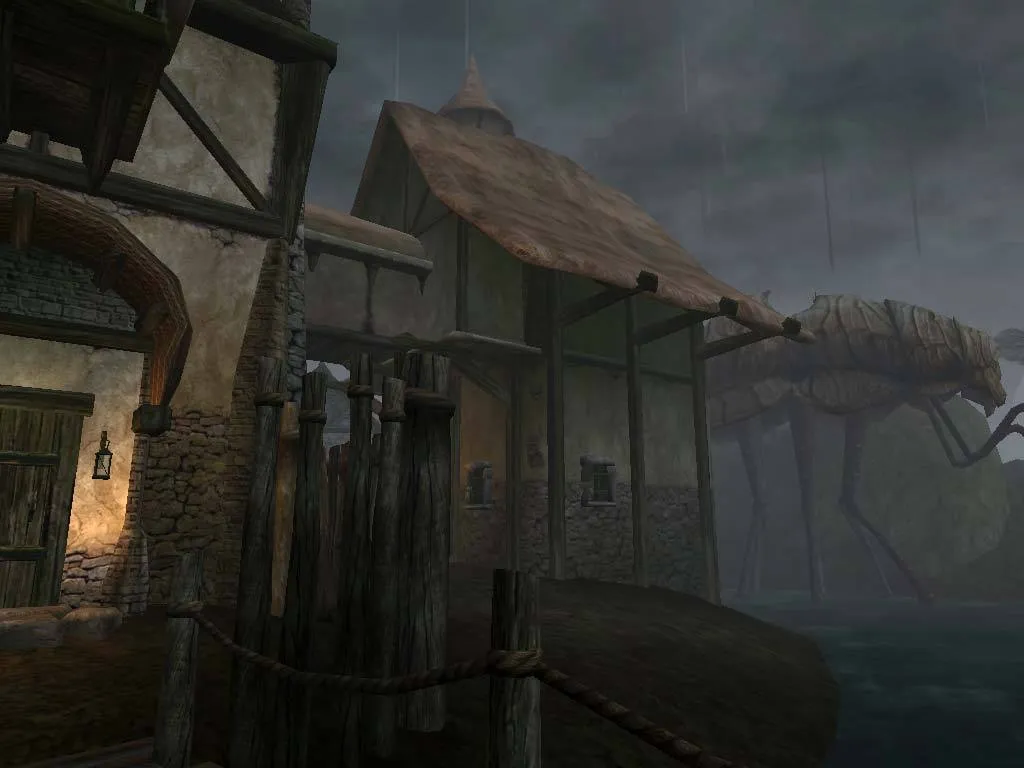
Press the key directly left of “1”. That is the tilde on US keyboards and the backtick on UK layouts. The game pauses, a text box appears, and you type commands followed by Enter. If a command is valid, nothing visible comes back. An error line means the syntax or an ID is wrong.
Install steps
- Load a save, or start a new game, on the PC GOTY edition or OpenMW.
- Press the key left of “1” to open the console.
- To act on an object, click it while the console is open. Its ID appears in the console title bar.
- Type the command, for example
player->AddItem "gold_001" 1000, and press Enter. - Press the same key again to close the console and return to play.
Prefixes, quotes and selected targets
Commands come in two kinds. Commands that change a character’s stats, inventory or spells need a reference in front of them. player-> targets you. If you click an NPC first, you can leave the prefix off and the command acts on that NPC. Global toggles and travel commands (tgm, tcl, coc) don’t take a prefix at all.
Put any ID that contains spaces in double quotes. coc "Balmora, Guild of Mages" works. Without the quotes it fails. Typing help lists shorthand for most commands, which helps when you can’t remember whether something is tfow or togglefogofwar. Both forms work.
Modder's note
Make a hard save before any console session, and never let it overwrite your main save. Commands such as FillJournal and SetLevel change your save permanently, and there is no undo.
The console commands that matter most
Most players need five groups of commands: items and gold, travel, character stats, quests and factions, and debug toggles. The tables below cover the commands UESP documents for the vanilla engine. For the full list of functions, see UESP’s Categorical Function List.
Items, gold and spells
| Command | What it does |
|---|---|
player->AddItem "gold_001" 5000 |
Adds 5,000 gold |
player->AddItem "ItemID" 1 |
Adds any item by its ID |
player->RemoveItem "ItemID" 1 |
Removes an item, useful for stuck quest items |
player->AddSpell "SpellID" |
Teaches a spell or applies an ability |
player->RemoveSpell "SpellID" |
Removes a spell, ability or disease |
player->AddSoulGem "CreatureID" "SoulGemID" |
Adds a filled soul gem. It needs both IDs |
PlaceAtPC "ObjectID" 1 128 1 |
Spawns an object or creature near you (count, distance, direction) |
The soul gem command trips people up because older guides show it with a single argument. UESP readers have pointed out that it needs both the creature ID and the gem ID, for example a Golden Saint in a Grand Soul Gem.
Travel and movement
| Command | Short form | What it does |
|---|---|---|
CenterOnCell "Cell Name" |
coc |
Teleports you to a named cell, such as “Vivec, Arena Pit” |
CenterOnExterior X, Y |
coe |
Teleports you to exterior grid coordinates |
FixMe |
none | Nudges you a short distance when you are stuck in geometry |
ToggleCollision |
tcl |
No-clip for flying through walls |
player->SetWaterWalking 1 |
none | Lets you walk on water (0 turns it off) |
player->SetSuperJump 1 |
none | Enables very high jumps |
FillMap |
none | Marks every town and named location on the world map |
coc is the most useful command in the game for anyone testing mods. You can jump straight to a new interior added by a mod to check its lighting, clutter and navigation without travelling there on foot.
Character stats and level
| Command | What it does |
|---|---|
player->SetStrength 100 |
Sets an attribute. Works for all eight attributes |
player->SetLongBlade 100 |
Sets a skill. Use the skill name without spaces |
player->ModStrength 10 |
Adds to or subtracts from the current value instead of replacing it |
player->SetHealth 300 |
Sets base Health |
player->SetMagicka 400 |
Sets base Magicka |
player->SetFatigue 400 |
Sets base Fatigue |
player->SetLevel 30 |
Sets character level |
player->SetReputation 50 |
Sets reputation |
SetPCCrimeLevel 0 |
Clears your bounty |
Here is a worked example. Say you want a Breton battlemage who already has her combat skills at journeyman level, without grinding. You could enter player->SetLongBlade 50, player->SetDestruction 50 and player->SetIntelligence 70. Raising skills with Set doesn’t count toward a level-up the way trained skills do, so your level and the health you gain from leveling don’t change. Changes to Health and level are where most console edits cause trouble. SetLevel doesn’t recalculate your Health retroactively, and the new level often doesn’t display properly until you save and reload or level up normally.
Quests and factions
| Command | What it does |
|---|---|
Journal "QuestID" Index |
Moves a quest to a given stage, and the journal entry is added |
SetJournalIndex "QuestID" Index |
Changes the stage silently, without adding an entry |
PCJoinFaction "FactionID" |
Joins a faction |
PCRaiseRank "FactionID" |
Raises your rank in a faction by one |
SetPCFacRep 50 "FactionID" |
Sets faction reputation |
FillJournal |
Adds every journal entry in the game. It is slow and permanent |
Quest IDs and stage numbers are listed on each UESP quest page. Using Journal to fix a quest that broke after a mod conflict is a good use of the console. Jumping several stages ahead often leaves NPCs, items and scripts out of step, though.
Debug toggles
| Command | Short form | What it does |
|---|---|---|
ToggleGodMode |
tgm |
Makes you invulnerable, with unlimited Magicka and Fatigue |
ToggleAI |
tai |
Freezes NPC and creature AI |
ToggleFogOfWar |
tfow |
Reveals the whole local map. Handy for clean screenshots |
ToggleMenus |
tm |
Hides the HUD |
ToggleWireframe |
twf |
Shows the wireframe view |
ToggleCollisionGrid |
tcg |
Shows the grid used for collisions |
ToggleDebugText |
tdt |
Shows debug information, including your position |
Unlock |
none | Unlocks the selected door or container |
Before you install
No-clip (tcl) can leave nearby NPCs stuck inside walls, and FillJournal clutters your journal for good. Test risky commands on a copy of your save.
Finding item, spell and cell IDs
Every console command needs exact IDs, so learning where to find them saves the most time. There are three reliable sources.
- UESP item, spell and place pages. Most entries on the UESP wiki show the editor ID next to the in-game name. “Daedric Long Bow” in the game is a lowercase ID string in the editor, and that string is what
AddItemwants. - The Construction Set. The PC GOTY edition comes with Bethesda’s TES Construction Set, which lists every object, NPC, spell and cell, including those added by any plugin you load.
- OpenMW-CS. OpenMW’s editor does the same job for the same data files and also runs on Linux and macOS.
Large mods follow their own naming patterns. Tamriel Rebuilt shares its assets through Tamriel_Data, and those IDs generally start with T_. The mod’s own content uses a TR_ prefix. If an ID from a mod doesn’t work, check that the mod’s plugin is actually active in your load order.
Changing race, class or birthsign mid-game
The character creation menus can be reopened from the console. EnableRaceMenu, EnableClassMenu, EnableBirthMenu and EnableNameMenu each reopen a single screen. EnableStatReviewMenu opens the final review screen, where you can step back through all of them.
It works, but there are side effects. Racial and birthsign powers are tied to the abilities applied at character creation, so changing race or sign can leave you with the old abilities, without the new ones, or with both. The old guides also warned that equipped gear might not display correctly afterwards. Abilities and immunities granted later in the main quest can also go missing. If that happens, check your Magic menu against the UESP pages for your new race and sign, then add or remove abilities with AddSpell and RemoveSpell using the IDs shown there. For a full rebuild, many players find it cleaner to start a new character and use the stat commands above to restore their progress.
The classic exploits, as history
The 2002-2003 version of this page collected reader-submitted exploits for both PC and Xbox. They belong to the game’s history: UESP now lists many of them on its Morrowind Glitches page, and its old cheats page carries a warning that it is very likely out of date. The table below records what each one was, without instructions.
| Exploit | Original platform | What it did | The catch |
|---|---|---|---|
| Corprus attribute gain | PC and Xbox | While infected with the Corprus disease, resting raised Strength and Endurance permanently. Players reported values in the hundreds | Your other attributes kept draining until cured, and it took a very long time |
| Weapon switching (Sunder/Keening) | Reported on Xbox | Rapidly switching between artifact weapons stacked their constant Fortify effects permanently. Sunder raised Strength, Endurance and Luck. Keening raised Speed | Speed far beyond normal values made the game hard to control |
| Bound item duration bug | PC and Xbox | Bound Daedric gear could be kept after its spell ended | Odd inventory states, and some engine fixes change the behaviour |
| Fortify plus Soul Trap spell bug | Reported on Xbox | A custom spell could leave a Fortify effect running permanently | Heavy Chameleon stopped NPCs from talking to you, and permanent Levitate blocked resting |
| Training past 100 | Reported on Xbox | Fortified attributes let paid training keep counting toward level-ups after a skill hit 100 | It gave you levels without any real gain in power |
| Xbox stat menu button sequences | Xbox | Button combinations said to refill Health, Magicka or Fatigue | They were reader submissions and were never confirmed by UESP or Bethesda |
There’s a reason to read this as history rather than a to-do list. Every one of these leaves permanent, hard-to-reverse changes in a save. The console does the same jobs (SetStrength, tgm, AddItem) openly and reversibly. On Xbox, where there is no console, the game as Bethesda shipped it is the official route, and UESP’s Xbox pages cover the differences between that version and the PC one.
Cheats with OpenMW and modern mods
The engine you play on changes how the console behaves. Your mod setup affects which IDs and quests exist in the first place.
OpenMW
OpenMW’s console opens with the same key and accepts the classic commands in this guide, including coc, tgm, tcl and AddItem. It also has Lua console modes for the engine’s newer scripting system, which is what most OpenMW-only mods are built on. Bug behaviour differs, though. OpenMW fixes a long list of original engine bugs, so an exploit that worked on the 2002 engine may not work on OpenMW. Stable 0.51.0 shipped on 19 June 2026, and 0.52.0 has been in release-candidate testing since 2 November 2026. Keep to stable builds if you value your saves.
Morrowind Code Patch
The Morrowind Code Patch (MCP) by Hrnchamd, developed with Psyringe, is hosted on Nexus Mods and is currently at version 2.4. It patches the original game’s executable to fix bugs and add optional gameplay changes, which is why it doesn’t work with OpenMW. Use it only if you stay on the vanilla engine. After installing, check that the version number appears in the bottom-left corner of the main menu.
Tamriel Rebuilt
Tamriel Rebuilt adds the mainland of Morrowind province. Its latest expansion, 26.08 “Poison Song”, came out on 23 August 2026 and needs Tamriel_Data 26.08 or later. A 26.08b hotfix followed on Nexus Mods on 1 November 2026. The release reworks the Sundered Scar region and makes Great House Indoril joinable, and saves from older versions are not compatible. For console users, that means coc gets you to hundreds of new cells and the quest commands work on Tamriel Rebuilt’s own quest IDs. Since August 2026, owners of the GOG edition can also install it free with one click, in a build that runs on OpenMW.
Fixing a broken mod quest
If a mod quest stalls after an update, look up its quest ID and stage numbers in the mod’s documentation or on the UESP Tamriel Rebuilt pages. Then use SetJournalIndex to set it to the stage before the one that broke, rather than skipping ahead.
Troubleshooting
Most console failures come down to a bad ID, a missing prefix or the wrong target. This table covers the common errors.
| Problem | Likely cause | Fix |
|---|---|---|
| Console won’t open | Non-US keyboard layout | Try the key left of “1” or switch the keyboard layout. On OpenMW, check the key binding in settings |
| “Unknown command” or script error | Typo or missing quotes | Put IDs with spaces in double quotes and check spelling against UESP |
| Command works on the wrong NPC | Something is still selected | Click empty space to clear the selection, or add player-> |
| Item ID not found | Mod plugin inactive, or wrong ID | Check the load order and confirm the ID in the Construction Set or OpenMW-CS |
| Level shows the old value | SetLevel doesn’t refresh the display | Save, reload, or level up normally |
| NPCs stuck in walls | Used tcl near them |
Select the NPC and use FixMe, or reload |
| AddSoulGem fails | Missing argument | Give both the creature ID and the soul gem ID |
Where to go from here
The best way to use this page today is as a toolkit for repairs and experiments. Use the console to fix quests broken by mods, to test new areas with coc, or to rebuild a character after a crash. Then let the game play as designed. If you want more Morrowind rather than an easier Morrowind, install OpenMW and Tamriel Rebuilt. That’s a bigger change than any cheat.
FAQ
How do I open the console in Morrowind on Steam or GOG?
Press the key to the left of “1”, which is tilde on US keyboards and backtick on UK keyboards. The official GOTY patch is version 1.6.1820, and the console is available in both the Steam and GOG editions.
Does the console disable achievements?
No. The PC versions on Steam and GOG have no achievements, so using the console costs you nothing apart from the changes to your save.
Are there cheats for Morrowind on Xbox?
The Xbox version has no console, and the button-code “cheats” that circulated in 2003 were never confirmed. It is playable through backward compatibility on Xbox One and Series X|S, with saves synced through Xbox Live, according to UESP.
What is the gold ID in Morrowind?
gold_001. Enter player->AddItem "gold_001" 1000 to add 1,000 gold. Other gold IDs exist in the editor, but gold_001 is the one UESP’s console examples use.
Do console commands work in OpenMW?
Yes. OpenMW accepts the classic console commands and adds Lua console modes for its own scripting. Results can differ when a command relied on an original engine bug, because OpenMW fixes many of them.
Can I use the Morrowind Code Patch with OpenMW?
No. The MCP (version 2.4, on Nexus Mods) patches the original executable, so it only applies to the vanilla engine. OpenMW handles bug fixes in its own code.
Will the old Corprus or Sunder/Keening exploits break my save?
They leave permanent stat changes that are hard to undo, and very high Speed makes the game hard to control. If you want higher attributes, player->SetStrength and the other Set commands do the same thing without those side effects.
How do I teleport to a Tamriel Rebuilt town?
Use coc with the cell’s exact name as Tamriel Rebuilt defines it, for example a town in the Sundered Scar or Old Ebonheart. You can confirm cell names in OpenMW-CS or the Construction Set with Tamriel Rebuilt and Tamriel_Data loaded.
What changed
- Nov 25, 2026 Updated.
- Nov 13, 2026 First published.
About the article
- Fact-checked by Hollis Tremaine before publication.
- Published · Updated