
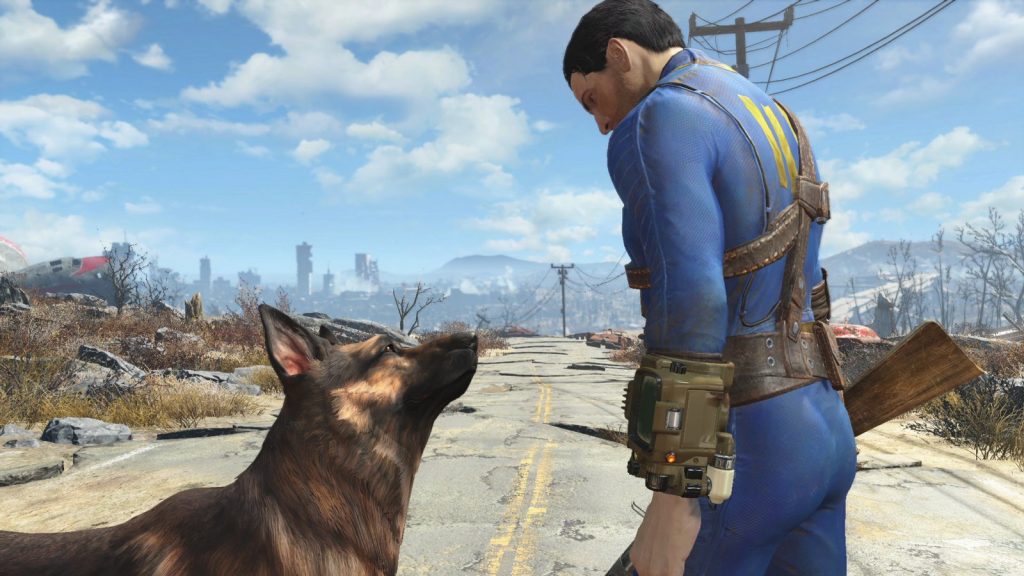
The best new Fallout 4 mods for October 19 to 25, 2026 are led by True Sleep – F4SE, with 126 endorsements on Nexus Mods, and Dynamic Bottle Liquids, with 118. Behind them, the week’s uploads were mostly small, sharp immersion and performance mods, plus one new quest, a .308 battle rifle and a compass rework. All counts below were measured on October 26, 2026, the day after the window closed.
The week at a glance
This week has no giant overhaul. Instead you get twelve focused uploads that each fix or improve one thing. Two of them are F4SE plugins that change how the engine handles animation. Another two are aimed at frame rate and crash stability. The rest are the kind of detail work that makes a long Commonwealth playthrough feel fresher.
| Mod | What it does | Author |
|---|---|---|
| Dynamic Bottle Liquids | Dynamic sloshing liquid in vanilla and many modded drinkables | 103Sakamoto |
| True Sleep – F4SE | Native lie down and stand up animations for beds | ginoblade0 |
| Corpse Flies | Rebuilds and expands the corpse fly detail | Glitchfinder |
| Faster Shadows | Optimises shadow rendering for better performance | Asciim0v |
| Addictol Fever Dreams Crash Fix | Fixes an Addictol crash before the Fever Dreams final boss | IVIiru |
| Excess – Hair Styles | Small pack of ported hairstyles, including an SMP ponytail | CRWREX |
| Keep Actors Animated in the Background – F4SE | Keeps NPCs behind you animated so their shadows keep rendering | LarannKiar |
| Black Ops Cold War – DMR-14 – Springfield Armory M14 REDUX | Lore-friendly .308 battle rifle with attachments and uniques | PIZZASPULUNKER |
| Immersive Body | Lets you see your own body in first person | MasterShrew |
| The Labour Exchange | New employment agency quest near Diamond City | Hwiccian |
| Modern Compass Overhaul | Marker distances, location IDs and nearby NPC indicators on the compass | 0Frysix0 |
| Forest Tents Tarpaulinized | Retextures forest tents as weathered, bleached tarp | DreadEye2020 |
The numbers behind the list
Raw downloads favour mods that hit the front page early. Endorsements tell you more about whether people kept a mod after trying it. So the table below adds a third column: endorsements as a share of downloads. A high ratio usually means a small, devoted audience that really liked what it got.
| Mod | Endorsements | Downloads | Endorse rate |
|---|---|---|---|
| True Sleep – F4SE | 126 | 3,511 | 3.6% |
| Dynamic Bottle Liquids | 118 | 3,241 | 3.6% |
| Addictol Fever Dreams Crash Fix | 71 | 1,816 | 3.9% |
| Faster Shadows | 78 | 1,687 | 4.6% |
| Corpse Flies | 91 | 1,621 | 5.6% |
| Excess – Hair Styles | 60 | 1,558 | 3.9% |
| Black Ops Cold War – DMR-14 – Springfield Armory M14 REDUX | 32 | 1,353 | 2.4% |
| Immersive Body | 32 | 727 | 4.4% |
| Keep Actors Animated in the Background – F4SE | 46 | 620 | 7.4% |
| The Labour Exchange | 29 | 608 | 4.8% |
| Modern Compass Overhaul | 25 | 546 | 4.6% |
| Forest Tents Tarpaulinized | 24 | 208 | 11.5% |
Across all twelve, that is 732 endorsements and 17,496 downloads in roughly a week. Two results stand out. Forest Tents Tarpaulinized has the smallest audience but the best endorse rate by a wide margin. Keep Actors Animated in the Background is second, which fits: engine-level fixes tend to win over the technical crowd that actually reads mod pages.
Here is how the week splits by Nexus category and by what the summaries say you need.
| Category | Mods | Summary names F4SE? |
|---|---|---|
| Gameplay | True Sleep – F4SE, Immersive Body | True Sleep only |
| Immersion | Corpse Flies, Keep Actors Animated in the Background | Keep Actors only |
| Visuals and Graphics | Dynamic Bottle Liquids | No |
| Performance | Faster Shadows | No |
| Bug Fixes | Addictol Fever Dreams Crash Fix | No (needs Addictol setup) |
| Body, Face, and Hair | Excess – Hair Styles | No (SMP for ponytail) |
| Weapons | DMR-14 M14 REDUX | No |
| Quests and Adventures | The Labour Exchange | No |
| User Interface | Modern Compass Overhaul | No |
| Models and Textures | Forest Tents Tarpaulinized | No |
“No” in that last column only means the short summary doesn’t name it. Always open the Requirements tab on the Nexus page before you install. That is where authors list frameworks, DLC and patches.
Before you install
F4SE plugins are tied to specific game versions. If Steam has updated Fallout 4 recently, confirm the plugin and your F4SE build both support your exact game version, or the game will refuse to load them or crash on launch.
How to install this week’s mods
Every mod here is on Nexus Mods for the PC version. The steps below work for Mod Organizer 2. Vortex follows the same logic with a different interface.
Install steps
- Back up or duplicate your current save.
- Install F4SE first if a mod requires it.
- Click “Mod Manager Download” on the Nexus page.
- Enable the mod in your manager’s left pane.
- Sort plugins, then launch through f4se_loader.exe.
- Load a test save and check the feature works.
If you split your time between several modded games, the same habits apply everywhere. We follow the same weekly format for Skyrim mods this week and for new Cyberpunk 2077 mods, so you can keep each game’s load order current in one sitting.
Modder's note
In MO2, add f4se_loader.exe as an executable and always launch from it. Launching Fallout4.exe directly from Steam silently skips every F4SE plugin, and you’ll think True Sleep or Keep Actors Animated is broken when it simply never loaded.
Dynamic Bottle Liquids
103Sakamoto’s Dynamic Bottle Liquids takes its cue from Half-Life: Alyx, where liquid inside bottles sloshes and settles as you move them. Here, every vanilla drinkable gets that treatment. The mod page also says it covers “a lot of mods,” so your modded drinks aren’t left as flat, static meshes next to the vanilla ones.
Why it’s worth a look: Fallout 4 is a game full of Nuka-Cola, purified water and dirty water. You see these bottles constantly in loot, on shelves and in your workshop displays. Making them read as containers of actual liquid lifts a huge number of scenes at once.
It took second place with 118 endorsements and pulled 3,241 downloads by the pull date. That is a strong debut for a visual mod with no gameplay change at all.
What to check: the summary doesn’t name a framework requirement. If you run other bottle or drink retextures, read the compatibility notes on the page. Two mods replacing the same mesh means only one will win, depending on your load order.
True Sleep – F4SE
ginoblade0 built True Sleep as a small F4SE plugin with one job. When you interact with a bed, your character plays a native lie down animation. When you wake, they stand back up. In vanilla, sleeping is a menu and a fade, with no sense that your character ever touched the mattress.
Why it’s worth a look: it uses animations that already exist in the game, so it looks consistent with how NPCs behave in their own beds. It’s a tiny change, but sleeping happens dozens of times in a survival run. Seeing your character actually lie down fixes one of the oldest immersion gaps in the game.
True Sleep had the highest download count of the week at 3,511, and the most endorsements at 126.
Requirements: F4SE, named in the title and summary. Since it’s a plugin, version matching matters. Check which game builds the author supports before installing.
Corpse Flies
Glitchfinder’s Corpse Flies “rebuilds and expands” one of the game’s quieter corpse details: the fly effect around the dead. You’ve almost certainly walked past it without thinking about it. That is exactly the kind of detail that makes the Commonwealth feel like a place where bodies have been lying around for a while.
Why it’s worth a look: it sits on 91 endorsements from 1,621 downloads, a 5.6% endorse rate. That’s the best ratio among the week’s widely downloaded mods. People who tried it clearly kept it.
It also does a lot for atmosphere. Raider camps, ghoul-infested buildings and the aftermath of a big firefight read differently when the dead attract flies. If you run horror or grim survival setups, this belongs in them.
What to check: the summary names no hard requirement. Look at the page for notes on which corpses get the effect and whether it adds any load in heavy combat areas full of bodies.
Faster Shadows
Asciim0v’s Faster Shadows targets the most expensive part of Fallout 4’s renderer for many PCs. The mod “improves performance by optimising how the game renders shadows.” Shadows are a known frame-rate sink in this engine, especially in dense areas like downtown Boston and big settlements.
Why it’s worth a look: performance mods that don’t simply lower quality are rare. Most “FPS boost” uploads just turn settings down for you. An optimisation at the rendering level is worth testing, especially if you’ve stacked texture packs and settlement mods.
It drew 78 endorsements and 1,687 downloads, a 4.6% endorse rate, which is high for a performance category mod.
How to test it: pick one known heavy spot, like the view from the Corvega plant roof, or the middle of a big settlement. Note your frame rate before and after with an overlay. Test with the same weather and time of day, since lighting changes shadow cost a lot.
Addictol Fever Dreams Crash Fix
IVIiru’s upload is the most niche mod on the list, and it’s also the one some players need the most. It fixes a crash that hits players running Addictol right before the final boss in Fever Dreams.
Why it’s worth a look: if that crash has stopped your playthrough, this is the fix. A crash at the end of a long quest line is the worst place for one, since you’ve invested the most time to get there. Seventy-one people endorsed it in the first week, and it reached 1,816 downloads. That’s a lot for a mod that only matters in one specific setup.
Who should skip it: if you don’t use Addictol or you aren’t playing Fever Dreams, you don’t need it. Bug-fix mods for specific combinations should only go in when you hit the bug they target.
What to check: install it before you reach the final encounter if possible. If you’re already stuck at the crash, load your last save from before the boss area after installing and try again.
Excess – Hair Styles
CRWREX’s Excess – Hair Styles is a small collection of ported hairstyles. The headline item is an SMP ponytail, meaning one that moves with physics rather than staying fixed to the head.
Why it’s worth a look: Fallout 4’s vanilla hair options are limited, and character creation is something you spend real time on. A few good ported styles give you more options without a huge download. It earned 60 endorsements from 1,558 downloads.
Requirements: the summary doesn’t spell out the physics framework, but SMP hair needs an SMP physics setup to move. Without it, expect the ponytail to sit still or not behave as the author intended. Check the Requirements tab before you open LooksMenu or the vanilla editor and wonder why nothing swings.
Keep Actors Animated in the Background – F4SE
LarannKiar’s plugin solves a problem you might have noticed without knowing why it happens. By default, the game stops animating NPCs when they are behind you. That saves processing power, but their shadows freeze or vanish, which breaks the scene when you glance at the ground and see a companion’s shadow frozen mid-step.
This F4SE plugin keeps actors animated behind the player, so their shadows render continuously.
Why it’s worth a look: it scored 46 endorsements from 620 downloads, a 7.4% endorse rate. Among mods with more than a few hundred downloads, nobody beat it. LarannKiar is a familiar name to F4SE plugin users, and this is a classic example of an engine-level fix that most players never think to look for.
Requirements: F4SE, named in the title. Match the plugin to your game version.
There’s a trade-off. Animating actors you can’t see costs CPU time. In crowded areas, like Diamond City market or a busy settlement, you may notice the hit. That makes it a natural partner for Faster Shadows: one adds the shadows back, the other tries to make shadow rendering cheaper.
Black Ops Cold War – DMR-14 – Springfield Armory M14 REDUX
PIZZASPULUNKER’s DMR-14 is a new take on the M14 rifle, styled after the version in Call of Duty: Black Ops Cold War. The author describes it as a lore-friendly .308 battle rifle with attachments, and says this release adds plenty of unique variants.
Why it’s worth a look: the vanilla game’s .308 options are thin. You have the hunting rifle and a handful of uniques. A semi-auto battle rifle in that calibre fills a real gap between the combat rifle and the sniper builds. The REDUX tag and the uniques suggest this is a reworked version, not just a re-upload.
It earned 32 endorsements and reached 1,353 downloads. That’s the lowest endorse rate of the week at 2.4%, which is normal for weapon mods. Lots of people download guns to try, and fewer come back to endorse.
What to check: look at how the rifle is added to the game. Some weapon mods add to leveled lists, others put the gun in a vendor or a chest. Also check for any weapon framework or DLC requirements on the page.
Immersive Body
MasterShrew’s Immersive Body has the shortest summary of the week: “Look at your body like a real person.” In practice, this is about first-person body awareness. In vanilla, looking down in first person shows nothing below the camera, as if you were a floating pair of arms holding a gun.
Why it’s worth a look: true first-person body mods change how you experience exploration and combat. Looking down at your own feet while crossing a rooftop ledge is surprisingly grounding. It picked up 32 endorsements from 727 downloads, a solid 4.4% endorse rate for a gameplay mod.
What to check: first-person body mods often interact badly with camera mods, armor mods that add clipping and anything else that changes first-person rendering. Read the compatibility notes before installing, and test with your usual armor on.
The Labour Exchange
Hwiccian’s The Labour Exchange is the week’s only quest mod. A new employment agency has opened near Diamond City, and it’s hiring for some “interesting” work. The quotes around that word suggest the jobs aren’t all as clean as the agency’s sign.
Why it’s worth a look: new quest content is the hardest kind of mod to build. It takes scripting, level design, dialogue and testing, and it breaks more easily than a texture swap. Each week brings dozens of visual and tweak uploads but very few new quest mods, so any new story content deserves a look.
It earned 29 endorsements from 608 downloads, a 4.8% endorse rate.
What to check: the summary doesn’t say whether the dialogue is voiced, how long the quest runs, or whether it edits Diamond City’s exterior cell. The page will tell you. If you run big Diamond City overhauls, check for location conflicts.
Modern Compass Overhaul
0Frysix0’s Modern Compass Overhaul packs a lot into the HUD element you look at most. Per the summary, it shows how far away every compass marker is. You can identify locations and quest objectives by looking toward them, and spot nearby enemies, companions and important NPCs at a glance. The author says it does all this without changing the original look of the game’s compass.
Why it’s worth a look: vanilla’s compass gives you direction and nothing else. Knowing whether a marker is 50 meters away or 2 kilometers away changes how you plan your route. That’s especially true in survival mode, where fast travel is off and every walk counts.
It reached 25 endorsements from 546 downloads.
What to check: HUD mods often conflict with each other. If you run a broad HUD framework or another compass mod, read the compatibility section first. Also check whether it needs F4SE, since many interface mods do.
Forest Tents Tarpaulinized
DreadEye2020’s Forest Tents Tarpaulinized retextures the game’s forest tents so they look like weathered, sun-bleached tarp. It’s a single-asset retexture, the simplest kind of mod you can install.
Why it’s worth a look: it had the smallest audience of the week at 208 downloads, yet 24 people endorsed it. That’s an 11.5% endorse rate, the best on this list by a wide margin. Small texture mods that nail one asset tend to get this kind of loyal response.
It’s also nearly risk-free. Retextures don’t touch scripts or save data, so you can add or remove it any time. If you build in settlements that use those tents, this is an easy upgrade.
Good pairings from this week
Some of these mods work better together. Here are the combinations worth trying.
- Keep Actors Animated and Faster Shadows. One restores shadows for actors behind you, the other tries to make shadows cheaper to render. Install them together and test performance in a crowded area.
- True Sleep and Immersive Body. Both are about seeing your character as a physical presence in the world. Check that the body mod’s camera doesn’t fight the sleep animation.
- Corpse Flies and a survival playthrough. The grim tone suits survival mode, where you’re walking everywhere and seeing every battlefield up close.
- Modern Compass Overhaul and The Labour Exchange. Marker distances help with new quest objectives in an area you don’t know yet.
Adding mods to an existing save
Most of this week’s list is safe to add mid-playthrough, but “safe” depends on what each mod does.
Retextures like Forest Tents Tarpaulinized and visual mesh replacers like Dynamic Bottle Liquids are the lowest risk. F4SE plugins like True Sleep and Keep Actors Animated don’t add records to your save the way scripted plugins do. You can usually remove them by turning them off, but read the author’s notes.
Quest mods like The Labour Exchange and anything that adds weapons to leveled lists carry the most risk on removal. Once a scripted mod has run in your save, uninstalling it can leave orphaned scripts behind. Treat those as permanent for that playthrough, or keep a clean save from before you installed them.
Why the Fallout 4 scene keeps moving
A game this old shouldn’t get twelve worthwhile mods a week, yet here we are. Part of that is the tooling. F4SE gives modders access to engine behavior, which is why two of this week’s best uploads are plugins that change how the engine animates actors. That kind of change simply isn’t possible with the Creation Kit alone.
Part of it is the community. Bethesda modders tend to stay with a franchise for years, and many Fallout 4 authors also release for Skyrim. The skills carry across, from F4SE plugins to SMP hair to ported assets.
This week’s list mostly shows the small end of that work. No ambitious overhauls, but plenty of curated detail. Over time, those small mods add up to a game that looks and behaves very differently from the one that shipped.
A note for anyone coming from Fallout 76: none of these work there. Fallout 76 is an online game with its own rules, and Nexus Fallout 4 mods are for the single-player game.
FAQ
How were these mods chosen?
The list covers new Fallout 4 mods released on Nexus Mods between October 19 and 25, 2026, ranked by endorsements, with downloads as a secondary measure. All counts were measured on October 26, 2026. Numbers on the live pages will be higher by the time you read this.
Do these mods work on Xbox or PlayStation?
Not as listed. These are PC files from Nexus Mods. True Sleep and Keep Actors Animated in the Background are F4SE plugins, and F4SE only exists on PC. Console players can only use mods published through Bethesda’s official Creations system, so check there for any console version an author has uploaded.
Do I need F4SE for everything here?
No. Only True Sleep – F4SE and Keep Actors Animated in the Background – F4SE name it in their titles. Others may need it or other frameworks, so check each mod’s Requirements tab. The SMP ponytail in Excess – Hair Styles needs a physics framework to move.
Which mod should I install first?
If you play with a crowded load order, start with Faster Shadows and test your frame rate. For pure immersion with minimal risk, Corpse Flies and Dynamic Bottle Liquids are the easiest wins. If Addictol is crashing your Fever Dreams run, install that fix before anything else.
Will these break after a game update?
F4SE plugins are the most likely to break, because they hook directly into a specific game build. If Steam updates Fallout 4, wait for both F4SE and the plugin authors to update before you launch. Retextures and meshes almost never break from a patch.